 roamli
Everything it takes to get people out and playing.
The building blocks behind every Roamli event, from the first challenge you pin on a map to the moment the winners are crowned.
Everything on one platform.
Every feature, with the page that explains it.
Hover a feature to see it in action, or jump straight to it.
- ChallengesPhoto, video and trivia tasks at every stop.
- Live leaderboardsStandings that move with every approval.
- RewardsPrizes players claim at a real counter.
- MessagingAnnouncements to everyone, or a note to one team.
- Submission reviewApprove or decline every photo, video and answer.
- White-label brandingYour logo and colors on the event.
- Player onboardingA guide for every event, built for you.
Challenges: photo, video and trivia at every stop.
A challenge is a task tied to a place. Players answer with a photo, a short video, or text, and you decide what counts. It's what turns "walk around downtown" into "find the mural with the fox and get your whole team in the shot."
How to create a challenge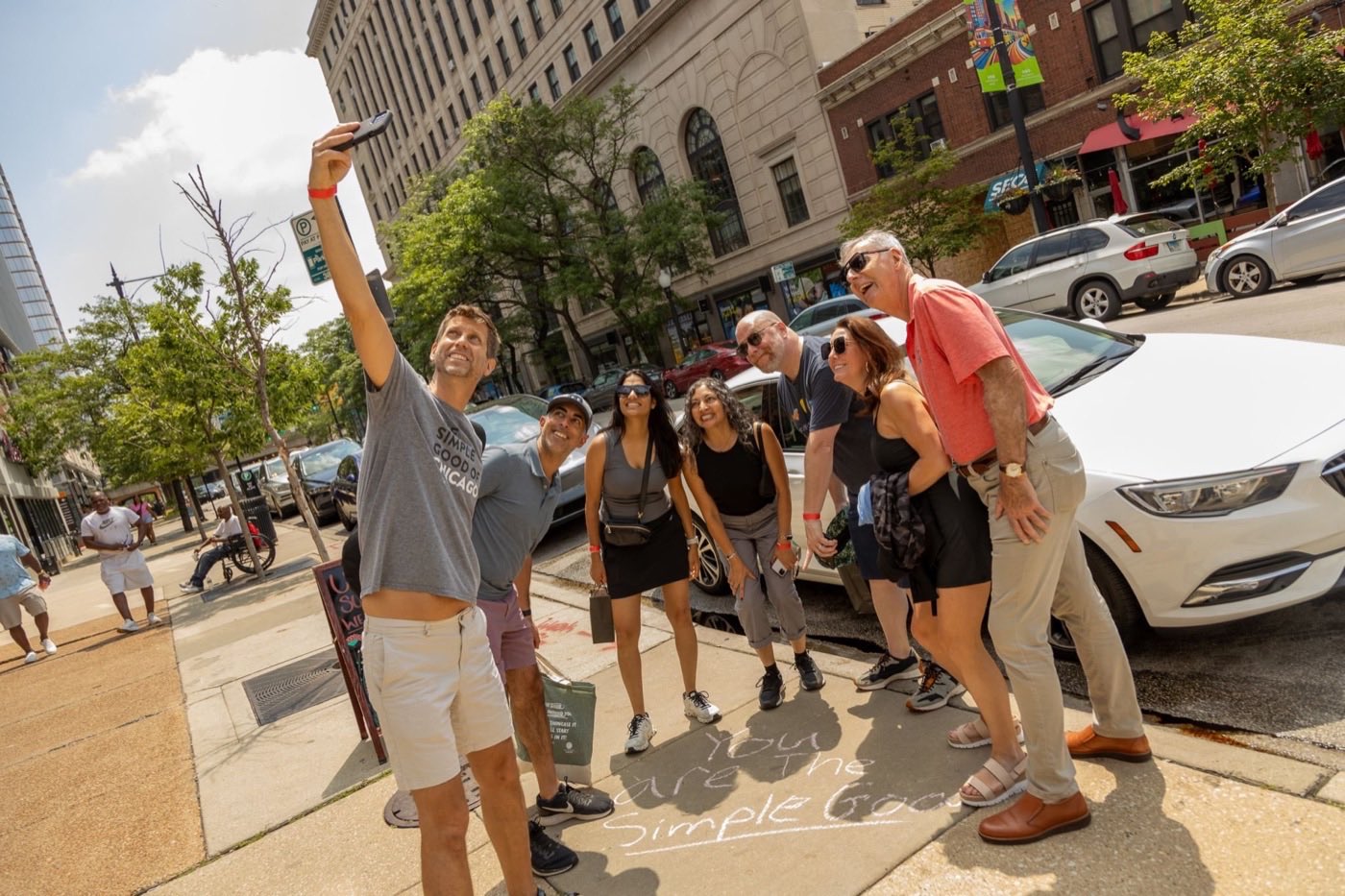
Live leaderboards.
A scavenger hunt turns into a race the moment people can see the standings. Every approval moves the board, every team knows exactly who is ahead of them, and nobody walks the last few blocks.
-
2:45
Fifteen minutes left. Three teams are within 100 points of each other. Everyone has the board open between stops.
-
2:51
A phone buzzes. Your video at the fountain was approved. The points land, and a nudge says you just passed Campus Crew.
-
2:57
The sprint. One more stop is two blocks away. Ties go to whoever got there first, so nobody slows down.
-
3:00
The clock stops. Late answers don't count. 2 min At The Simple Good's Hunt for Good, the top three teams were named within two minutes of the finish.
Waiting for the next approval…
Rewards: prizes players claim at a real counter.
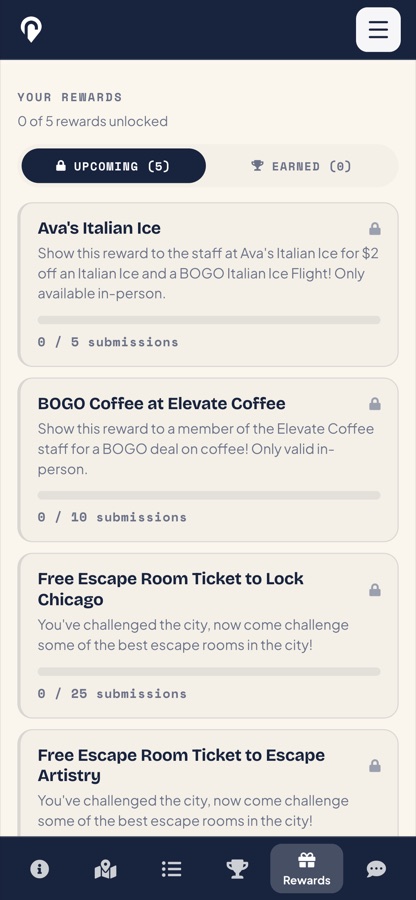
Points keep score. Rewards give people a reason to walk somewhere, go inside, and come back. Here is one reward from the Roamli Scramble in Chicago, from the moment a shop offered it to the moment it was redeemed.
-
A local business offers a prize.
Ava's Italian Ice put up $2 off an Italian ice and a BOGO flight, only in person. You add a reward once to your library and reuse it across events.
- A code, a link or a personal message
- One shared code, or a pool of unique codes imported from a spreadsheet
- A cap on how many players can earn it
-
Players see it, and go after it.
Every reward shows on the event's reward board with a progress bar, so players know exactly what they're playing for and how close they are. A prize at the ice cream shop turns its challenges into the ones everyone wants to finish next.
-
It unlocks on the spot.
The moment a player hits the goal, the reward unlocks automatically, with a scratch-off ticket to reveal the prize. Nobody waits for a raffle weeks later. Every reward they earn stays in My Rewards, across every event.
-
They walk in and claim it.
The player shows their phone at the counter and staff tap Redeem. It's stamped with the date, so every prize is used exactly once. Nothing to install at the register, and no paper to collect.
-
You see exactly what it drove.
Each reward shows how many were claimed, allocated and still free, and warns you before a code pool runs dry. Those redemption counts are real visits to a real business, a number you can hand to a sponsor or a member.
Four ways to unlock a reward
- A points total Reach 100 points and unlock $5 off at any participating shop.
- Challenges approved Get 10 shop challenges approved and win a free hot chocolate.
- A specific stop Finish the bookstore challenge and get a bookmark and 10% off.
- A leaderboard finish The top 3 teams win gift cards donated by local businesses.
Supercharge your event.
Add one prize and the whole game changes, for the people playing and for you.
For players
- Real stakesA prize on the line turns a stroll into a race.
- The unlock momentThe reward pops up on the spot, with a scratch-off reveal.
- Something to take homeA free scoop, a discount or a gift card, saved in My Rewards.
For your event
- Foot trafficPrizes are claimed at the counter, so players step inside.
- Proof for sponsorsEvery redemption is a visit you can count.
- Repeat visitsRewards bring players back through your doors.
Announcements and team messaging.
Weather change, bonus challenge, "the finish line moved to the patio." Send an announcement to every player, schedule it for later, or pin it to the top. Players tap Got it, so you know who has seen it.
How event messaging works
Submission review.
Every submission lands in a gallery with pending and reviewed tabs. Approve or decline one at a time or in bulk, and filter by challenge, player or status. When a call is disputed, open that player's full history and change the decision if you need to.
How reviewing worksWhite-label branding.
White-label branding puts your brand name, logos, four brand colors and a map style on your event pages. Set it once for your whole account, or give a single event its own look for a sponsor or a special occasion.
How branding worksAuto-generated onboarding docs for players.
Every event gets its own player guide the moment you create it. Send one link the week before, and players show up knowing what to do, so game day starts with the game, not with questions.
-
A Player Guide for every event
Built from your event automatically: when it starts and ends, the kinds of challenges players will see (photos, videos or answers), and whether there are rewards to win. Change the event and the guide updates with it.
-
Step-by-step setup for teams
How to pick a Captain and create an account, open the event and submit, and how teammates follow along without signing up. The questions you'd otherwise answer by email, answered before anyone asks.
-
Tips for winning, tuned to your event
Advice that fits how your event runs: keep an eye on the clock for a timed hunt, or pace yourself when it runs for weeks. Plus planning, team roles and playing safe.
-
One link, one code, one QR
A short event code, a link and a downloadable QR code for emails, posters and badges. Players join in their phone's browser, with nothing to install, and the Help Center has player guides for anything else.
Which plan includes what.
Creating an account is free. Events go live on Creator or Creator Pro. Running one event? One month of Creator Pro is $99, and you can cancel from your profile anytime.
| Feature | Creator | Creator Pro |
|---|---|---|
| Event activation, unlimited events | Included | Included |
| Photo and text challenges, hunt mechanics | Included | Included |
| Submission review and media download | Included | Included |
| Participant and challenge analytics | Included | Included |
| Player Guide and onboarding docs | Included | Included |
| Live onboarding training | Included | Included |
| Video challenges | Not included | Included |
| Live leaderboards | Not included | Included |
| Automated rewards and in-person redemption | Not included | Included |
| Event messaging | Not included | Included |
| White-label branding | Not included | Included |
| Dedicated customer success manager and event buildout support | Not included | Included |
We'll show you on a map of your own.
A 30-minute call with our team. Bring your places, and we'll build a few challenges live.